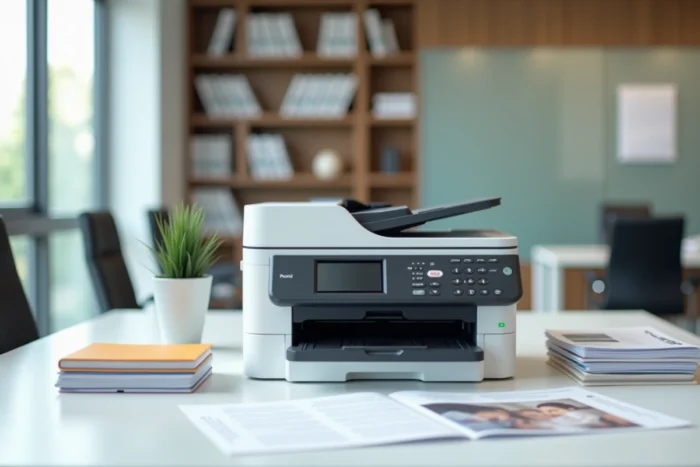
The Brother DCP-L3550CDW is a 3-in-1 multifunction printer that relies on color LED technology, often likened to laser. It combines printing, copying, and scanning in a format designed for small offices and freelancers, with a claimed resolution of up to 2,400 x 600 DPI.
LED and laser technology: what it changes for the printing mechanism
The confusion between LED and laser persists in most product sheets. The DCP-L3550CDW uses a strip of light-emitting diodes to expose the photosensitive drum, whereas a traditional laser uses a rotating beam directed by a polygonal mirror.
This difference in light source has direct consequences. The LED motor unit contains fewer moving parts, which reduces vibrations and mechanical noise. The mechanism is also more compact, which partly explains the relatively contained size of this printer.
On printed paper, the difference between LED and laser remains marginal for office documents. Black texts are sharp, and color fills are uniform. The resolution of 2,400 DPI (interpolated) is more than sufficient for quotes, letters, or internal presentations. To learn everything about the Brother DCP-L3550CDW, it is important to keep in mind that this LED technology offers an interesting compromise between graphic quality and compactness of the mechanism.
Cost per color page: the aspect that technical sheets do not detail
The printing speed (18 pages per minute) and the 250-sheet tray are consistently highlighted. The actual cost per page, however, deserves closer examination.
Market benchmarks provide a range of 0.005 to 0.009 euros excluding VAT per black and white page and 0.04 to 0.07 euros excluding VAT per color page for all-inclusive offers. The cost per color page remains on average five to ten times higher than black and white. This ratio is also verified on the DCP-L3550CDW.
The starter toner supplied with the machine has a capacity of about 1,000 pages. For a small business that prints a few hundred color pages per month, this initial toner covers a few weeks. Switching to standard or high-capacity toners represents the real budget item to anticipate.
Before comparing consumable prices, it is essential to distinguish between two approaches:
- Original Brother toners, whose cost per page is predictable and guaranteed by the manufacturer, with no risk of incompatibility for the machine
- Compatible toners, offered at a lower price, but whose print quality and reliability vary by supplier
- Rental offers or cost/page contracts, which include maintenance and consumables in a monthly package, relevant from a certain regular volume
For an organization that prints fewer than 500 pages per month, purchasing toners individually often remains more economical than a contract. Beyond that, comparing the total cost over two years (machine, toners, potential wear parts) provides a more reliable picture than just the initial purchase price.
Network connectivity and mobile printing on the DCP-L3550CDW
The machine offers three connection modes: Wi-Fi, Ethernet, and USB 2.0. This triple connectivity allows it to be integrated into both a wired corporate network and a wireless home office.
Printing from a smartphone works via several protocols. Apple devices use AirPrint without driver installation. On Android, the Brother iPrint&Scan app or the native printing service ensures the connection. These functions transform the DCP-L3550CDW into a shared printer accessible from any workstation on the network.
The 9.3 cm color LCD touchscreen simplifies navigation through menus, network configuration, and launching copies or scans without going through a computer. For an office of two to five people, this autonomy of use avoids monopolizing a computer for every task.
Scanning and automatic document feeder
The automatic document feeder (ADF) accepts up to 50 sheets. This detail is important for scanning multi-page documents: contracts, administrative bundles, batch invoices. Without ADF, each page must be placed manually on the glass, which multiplies processing time.
Scanning can be done to a network folder, an email, or a USB drive. For daily use in SMEs, scanning to email remains the most requested function, and the DCP-L3550CDW supports it natively.
Brother DCP-L3550CDW: for which user profile
This color laser multifunction printer targets a specific niche. Its speed of 18 pages per minute and its 250-sheet tray make it suitable for low to medium volumes. A small business with ten to fifteen workstations centralizing its printing on this single machine risks saturating the paper tray and wearing out the toners quickly.
Automatic duplex printing reduces paper consumption, a both economical and practical argument for internal documents. The accepted paper weight goes up to 163 g/m², allowing printing on lightweight cardstock (business cards, basic communication materials).
The 3-in-1 format (printing, copying, scanning) covers the common needs of an office without fax. The absence of a fax function distinguishes the DCP range from the MFC range at Brother. If faxing is necessary in certain sectors (legal, medical), one will need to turn to an MFC model.
The DCP-L3550CDW remains relevant for a freelancer or a small team that needs quality color documents without investing in a larger machine. The choice between compatible or original toners, combined with the actual monthly volume, will determine medium-term profitability much more than the initial purchase price of the machine.