
Choosing a security-oriented system software involves balancing multiple layers of protection, the effectiveness of which varies depending on the architecture of the workstation, the mode of supervision, and the applicable regulatory framework. This guide reviews the technical criteria that differentiate high-performing solutions from merely adequate cybersecurity software, with a focus on recent developments in cybersecurity and risk management.
Cloud or on-premise console: the architectural criterion often overlooked in comparisons
Most software rankings focus on detection rates and performance impact. A structuring parameter often takes a back seat: the deployment mode of the supervision console.
Recent EDR and XDR solutions primarily operate in local agent mode associated with a cloud console. This architecture simplifies the updating of signatures and behavioral rules, but it creates a direct dependency on the internet connection. In the event of a network outage, supervision falls into a degraded mode.
For a typical workstation that is always connected, the cloud console is suitable. For industrial systems, mobile workstations in low-connectivity areas, or environments subject to data sovereignty constraints, an on-premise console remains relevant. You can find net tips on Geek Flare to delve deeper into system settings related to these configurations.
The choice between these two modes also affects the encryption of telemetry streams sent to the console, a point rarely documented in product sheets but crucial for protecting sensitive company information.

Comparison of system security layers by software type
Security software covers very different scopes. The table below summarizes the main functions by category, to help identify gaps in an existing configuration.
| Software Type | Covered Scope | Detection Mode | Real-time Supervision |
|---|---|---|---|
| Classic Antivirus | Files, emails, web browsing | Signatures + heuristic | Limited (local alerts) |
| EDR (Endpoint Detection and Response) | Processes, memory, suspicious behaviors | Behavioral analysis + AI | Yes (centralized console) |
| XDR (Extended Detection and Response) | Endpoints, network, cloud, messaging | Multi-source correlation | Yes (unified cloud console) |
| Software Firewall | Incoming/outgoing network traffic | Static rules + inspection | Local logging or SIEM |
| Patch Manager | OS and third-party applications | Inventory of installed versions | Compliance dashboards |
An antivirus alone does not cover behavioral analysis of processes in memory, nor the correlation between network events and endpoints. The coverage gap between an antivirus and an XDR is structural, not cosmetic.
On the other hand, a poorly configured XDR generates a volume of alerts such that teams eventually ignore notifications. Managing false positives remains the weak point of the most comprehensive solutions.
NIS2 Directive and system software: what changes concretely
The European regulatory framework NIS2, which will be implemented between 2024 and 2027 according to national transpositions, imposes direct obligations on companies in various sectors (energy, transport, health, digital infrastructure) regarding their software choices.
NIS2 requires a formal cyber risk management policy, including the security of the software supply chain. Concretely, this means that an IT manager can no longer simply install an antivirus: they must document the choice of each security component and prove that it meets a prior risk analysis.
The directive’s recommendations also cover system patch management, incident notification within constrained timelines, and the cyber resilience of critical systems. The Cyber Resilience Act, which complements NIS2, adds reporting obligations for software publishers themselves.
For SMEs and mid-sized companies newly affected, the first reflex is to map the existing system software and verify its compliance with the requirements of Article 21 of NIS2, which lists the minimum risk management measures.
Often underestimated system security tips
Beyond software choice, several system settings reduce the attack surface at no additional cost:
- Disable unused network services (SMBv1, Telnet, remote printing services) to limit entry vectors exploited by ransomware and lateral movements.
- Configure the OS-integrated firewall with outbound filtering rules, not just inbound. Most default configurations allow all outbound traffic, facilitating data exfiltration.
- Enable disk encryption (BitLocker on Windows, LUKS on Linux) and ensure that the recovery key is stored off the workstation, in a secure directory or digital vault.
- Schedule system updates on a verified weekly cycle, rather than the default automatic mode that may fail silently for weeks.
These measures fall under basic system configuration. They do not replace an EDR or XDR, but they fill the blind spots that even good cybersecurity software does not cover.
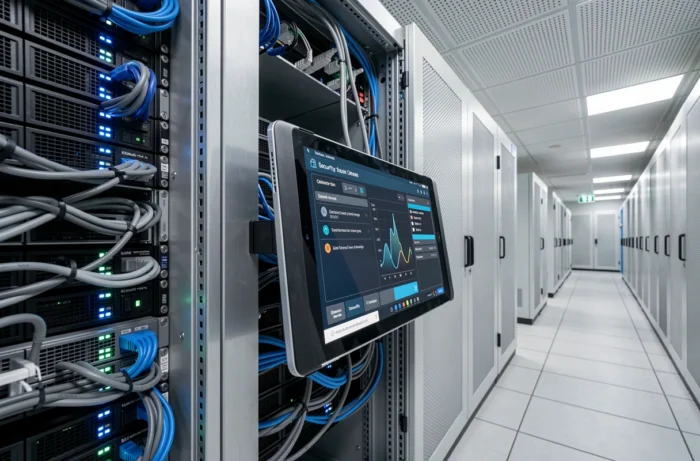
Degraded mode supervision: the forgotten scenario
When a workstation loses its connection to the cloud console, the security agent continues to operate locally. Alerts are queued and synchronized upon reconnection.
The problem arises when this disconnection lasts. Without alert feedback, an incident can go unnoticed for days. Ensuring that the chosen software has a documented autonomous protection mode, with usable local logging, prevents discovering this limitation in a crisis situation.
The combination of well-configured system software, a supervision architecture suited to the company’s context, and monitoring of NIS2 obligations forms a coherent protection foundation. The choice of a tool matters less than its actual configuration and the operational follow-up that accompanies it daily.